


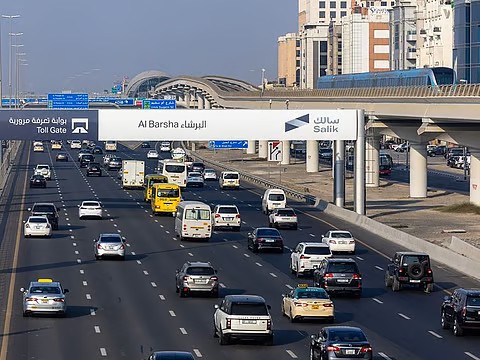
If you’re moving out of Dubai, selling your car, or simply no longer need it, you may be wondering how to cancel Salik account without hassle. You’re not alone; thousands search this daily as part of vehicle-related tasks in Dubai.
Salik is Dubai’s electronic toll collection system, managed by the Roads and Transport Authority (RTA). While registering is straightforward, many people are unsure about how to deactivate or cancel their Salik account properly.
Whether you’re switching vehicles or leaving the UAE, this guide will help you understand how to cancel Salik account step-by-step.
For detailed Salik-related services, the RTA’s official website provides all the essential information directly from the source. If you’re new to the Salik system or still figuring out how it works, our complete guide on How to Register Salik in Dubai can be helpful before you proceed with cancellation.
When Should You Cancel Your Salik Account?
Before learning how to cancel a Salik account, let’s quickly understand when cancellation is necessary. You should cancel your Salik account if:
-
You are selling your vehicle.
-
You are leaving the UAE permanently.
-
You are switching to a new car with a different Salik tag.
-
You simply no longer use Salik services.
Canceling it ensures that no toll charges are wrongly billed to your account.
How to Cancel a Salik Account: Step-by-Step Process
Step 1: Remove the Salik Tag
The very first step in learning how to cancel a Salik account is physically removing the Salik tag from your vehicle. This step prevents automatic toll charges while your account is being closed.
Remember: Do not skip this step, as any unused tag on the windshield can still incur charges.
Step 2: Check Your Salik Balance
Log in to your Salik account and check if there is any remaining balance. You cannot proceed further unless:
-
Your balance is fully consumed, or
-
You apply for a balance refund.
Step 3: Request Balance Refund (If Applicable)
If you have funds left in your Salik account, you can request a refund. Here’s how:
-
Visit the nearest Salik Customer Service Center.
-
Submit your Emirates ID, vehicle registration card, and Salik account number.
-
Fill out the Refund Request Form.
Refunds are typically processed within 15 working days.
Step 4: Call Salik Customer Care
The easiest way to cancel a Salik account is by calling Salik Customer Care:
- 800-SALIK (800-72545)
Request them to deactivate your account. Provide the following:
-
Account number
-
Registered mobile number
-
Vehicle details
They will verify your identity before processing the cancellation.
Step 5: Visit a Customer Happiness Center (Optional)
If you prefer, you can also visit an RTA Customer Happiness Center for cancellation. Bring these documents:
-
Emirates ID
-
Vehicle registration card (Mulkiya)
-
Salik account details
Staff will guide you on how to cancel your Salik account effectively and process any refunds if applicable.
Step 6: Confirm Account Closure
Once the cancellation request is submitted:
-
You’ll receive an SMS confirmation.
-
Log in to your Salik account to verify that the status shows ‘Closed’ or ‘Deactivated’.
If not, contact customer service again to avoid future charges.
Important Tips for Cancelling the Salik Account
While learning how to cancel a Salik account, keep these tips in mind:
-
Always remove the Salik tag physically to avoid errors.
-
Clear all pending fines or toll fees before cancellation.
-
If selling your car, inform the buyer whether the Salik tag is active or not.
-
Remember, an unused Salik tag remains linked to your account until properly cancelled.
FAQs About How to Cancel a Salik Account
Can I cancel my Salik account online?
No, currently, cancellation cannot be done online. You must contact Salik Customer Care or visit an RTA Customer Happiness Center.
Will I get a refund if I cancel my Salik account?
Yes, any remaining balance can be refunded after submitting a request along with the required documents.
Is it necessary to cancel Salik after selling my car?
Absolutely. If you don’t, the new car owner might unknowingly use your tag, and toll charges will be deducted from your account.
What happens if I don’t cancel my Salik account?
Your account stays active, and any toll charges on the registered tag will still be billed to you.
Final Thoughts
Canceling your Salik account might seem confusing at first, but it’s actually a simple process when done right. Whether you’re moving out of Dubai, selling your car, or switching vehicles, this guide ensures you understand exactly how to cancel your Salik account easily.
By following the correct steps, removing the tag, checking your balance, calling customer care, or visiting a service center, you can close your Salik account hassle-free.
For more helpful guides on UAE’s driving laws, toll systems, and car services, stay tuned to ArabWheels